


05/11/2026

How to track payroll by job, client, or project with custom fields

Most payroll systems can tell you what an employee earned. Fewer can tell you what a specific job, client, or placement actually cost in labor.

The gap between those two questions is where finance and ops teams spend a lot of their reconciliation time. Spreadsheet exports, manual matching, and billing delays are all symptoms of the same structural problem: payroll data that's attached to workers, not to work.

Solving it requires a specific capability inside your payroll system. This post explains what that capability looks like, what to evaluate in a solution, and how Greenshades handles it.

What is transaction-level payroll tracking?

Direct answer

Transaction-level payroll tracking means attaching identifiers — like a job ID, client name, or placement number — to each individual earning within payroll, rather than just to the employee.

This gives finance and ops teams the ability to report, search, and bill based on the specific work behind each dollar of labor cost, without manual reconciliation after the fact.

What your payroll system needs to support job and project tracking

Not every payroll system can do this. Before evaluating options, it helps to know exactly what the capability requires. There are three things that have to be true for transaction-level tracking to actually work.

  1. Identifiers must attach at the earning level. This is the foundation. If your system can only assign a job code or department at the employee level, you're limited to one classification per person per period. That breaks down immediately when a single employee works multiple jobs, clients, or placements in the same pay cycle. The system needs to support multiple earnings per employee — each with its own identifier. One paycheck. Many possible contexts behind it.
  2. Data must carry through from time entry to payroll. Capturing context at clock-in is only useful if that context survives the trip to the paycheck. Many systems collect the right data in timesheets but flatten it during the payroll run. The identifier gets dropped, and you're back to manual reconciliation. The integration between time tracking and payroll has to preserve the field data at every step — from the moment work is logged to the moment the gross-to-net calculation completes.
  3. The data has to be reportable and exportable. Captured data that you can't query is just storage. Your payroll system needs to let you filter pay run reports by job, client, placement, or whatever identifier matters for your business. And it should be exportable in a format that connects to your GL, your billing workflow, or your accounting system without additional manipulation.

Quick evaluation checklist

  • Can the system attach identifiers to individual earnings — not just to employees?
  • Do custom field values carry through from timesheets into payroll automatically?
  • Can you filter pay run reports and GL reports by those identifiers?
  • Can identifiers be populated via API or integration from an external system?

Payroll fields, timesheet fields, and profile fields: what each one does

Transaction-level tracking in a well-built payroll system uses three distinct types of custom fields. Understanding the difference matters because each one serves a different purpose — and the most effective setups use all three.

Field type Where it applies Best used for
Payroll custom fields Per earning, within the payroll run Client, job, placement, GL dimension — anything that changes earning by earning
Timesheet custom fields Entered by employee at clock-in or time submission Capturing context at the moment work happens
Profile custom fields Set at the employee level by an admin Static data: home department, eligibility flags, credential level

Payroll custom fields are the most important for transaction-level reporting. They attach directly to each earning, which means each line of pay can carry its own context independent of the others.

Timesheet fields feed into payroll fields automatically when timesheets are processed — so context captured at clock-in doesn't have to be re-entered during the pay run. Profile fields handle data that doesn't change from one period to the next and shouldn't need to be re-entered at all.

How Greenshades custom fields work

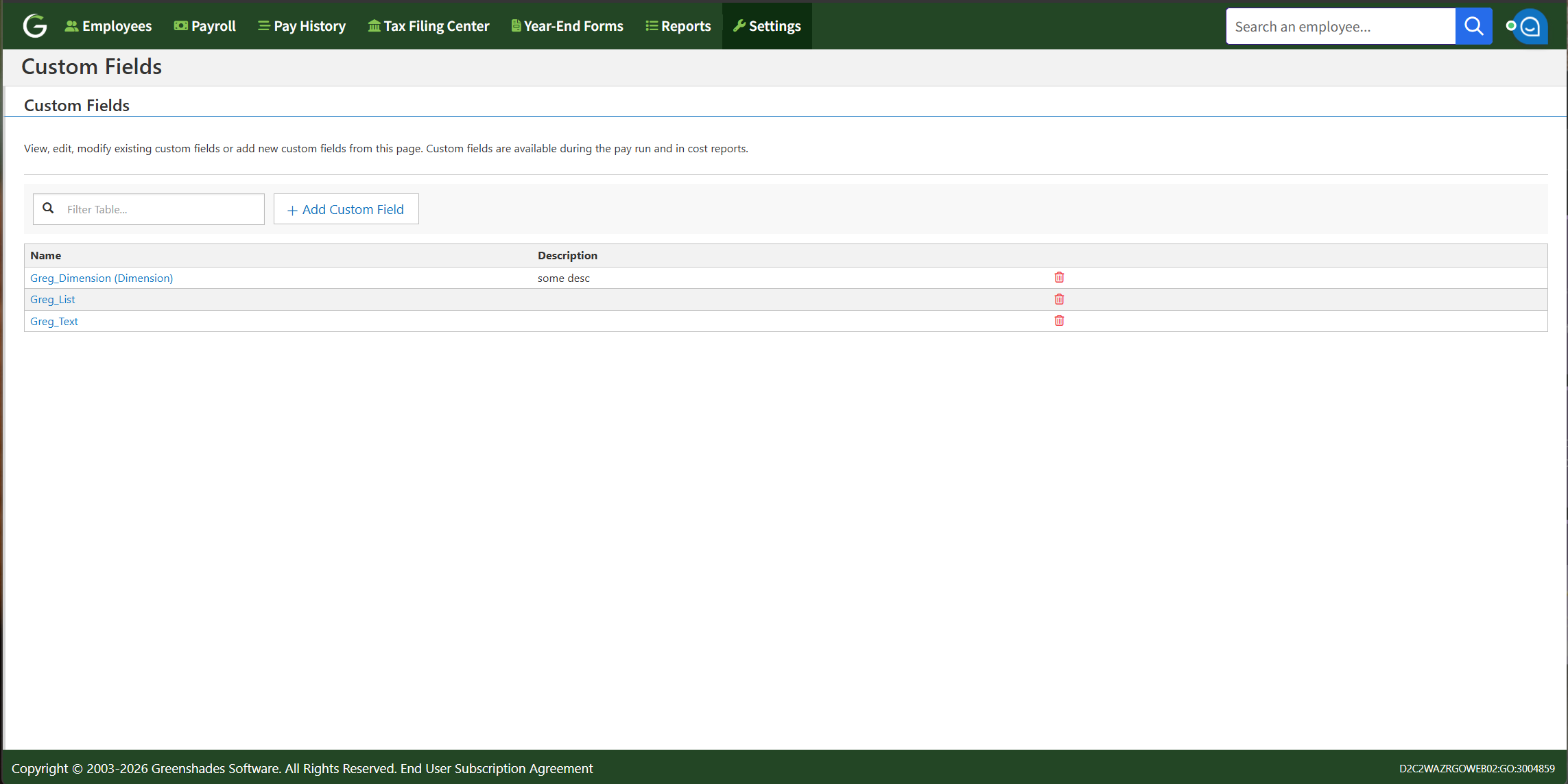
Greenshades payroll supports custom fields at the earning level, which means each individual line of pay within a paycheck can carry its own identifier. Here's how that works in practice.

Payroll custom fields

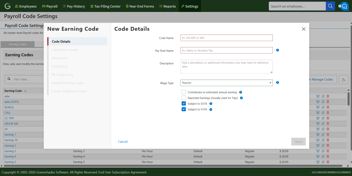
Within the Greenshades Pay Wizard, each earning line can have many custom fields assigned. Those fields can be configured as:

  • A dropdown — a predefined list of values the processor selects from
  • A text field — open input for unique identifiers like placement IDs or project codes
  • A GL dimension — tied directly to preconfigured accounting dimensions in Greenshades

Once assigned, those field values appear in pay run reports, GL transaction reports, and Greenshades reporting exports. That means you can filter by client, sort by placement, or tie a specific earning directly to a GL dimension — without touching a spreadsheet.

Timesheet custom fields

For businesses that capture time through Greenshades Time & Labor, employees can enter custom field data when they clock in or submit time. That data flows forward into the payroll earning automatically when the timesheet is processed.

This is particularly useful when the context for a shift is best captured at the moment of work — a patient name, a job reference, a facility code. The employee enters it once, and it carries all the way through to the earning.

Integration-driven field population

For businesses that use an external system as the source of truth for work context, Greenshades supports API and integration-driven field population. The most common example is staffing.

In a Bullhorn integration, for instance, timesheets in Bullhorn are tied to a Placement ID. When those timesheets sync into Greenshades, the Placement ID populates the payroll custom field automatically. No one enters it manually. It flows from the staffing platform, through the timesheet, and into the earning — clean and consistent across every pay run.

What you can report on once payroll data is structured correctly

When earnings carry transaction-level context, the downstream impact is significant. Here's what becomes possible that wasn't before.

Labor cost by client or job. Pull a report filtered by client name or job ID and see exactly what labor cost for that account — including overtime — without leaving your payroll system.

Billing from payroll data. For staffing firms, healthcare providers, and professional services businesses that bill clients based on hours worked, transaction-level data means invoices can be generated directly from payroll rather than reconciled against it.

GL alignment without manual journal entries. When custom fields tie to GL dimensions, payroll data flows into your general ledger with the correct cost allocation already applied. The accounting team stops doing data entry and starts doing analysis.

Search and filter across pay runs. Find every earning tied to a specific placement, project, or location — across multiple pay periods — in seconds.

The throughline in all of this: the data you were previously building by hand in a spreadsheet is now a byproduct of how payroll processes. The manual work doesn't get faster — it disappears.

Which industries use payroll custom fields most

Custom fields solve a real problem across multiple industries, but the specifics vary.

Staffing

Staffing is the primary use case. Employees frequently work multiple placements in a single pay period, and each placement needs to be billed to the right client. Greenshades custom fields allow each earning to carry a Placement ID, which supports both client billing and placement-level reporting. For agencies running on Bullhorn, Avionte, or similar platforms, the Placement ID flows in automatically via integration.

Healthcare

Nurses and clinical staff often work shifts across multiple facilities or care settings within the same pay period. Custom fields allow each earning to be tagged with a facility name, patient identifier, or care unit. This supports cost tracking at the facility or department level and gives finance teams visibility into labor costs across sites.

Construction

Construction businesses need to know what each job site costs in labor — not just what workers earned in total. Custom fields enable job-level cost tracking within payroll, so project managers and finance teams can see labor costs per job without manual allocation after the fact.

Professional services

For consulting firms, agencies, and service businesses that bill by the hour, custom fields tie each earning to the client or project being served. That makes it possible to generate invoices from payroll data and understand profitability at the client or engagement level.

Learn more about Greenshades custom fields and cost accounting here. 

See Greenshades custom fields in action

Transaction-level tracking for reporting, billing, and labor cost visibility across complex industries.

Request A Demo

Frequently asked questions

Can one employee have multiple jobs in the same payroll run?

Yes. Greenshades supports multiple earnings per employee within a single pay run, and each earning can carry its own custom field value. That means a staffing employee working three placements in one week can have each portion of their pay tagged with the correct Placement ID — all within a single paycheck.

What types of custom fields does Greenshades support?

Greenshades supports three types of custom fields: payroll custom fields (applied per earning within the Pay Wizard), timesheet custom fields (entered by employees at clock-in and carried into payroll automatically), and profile custom fields (set at the employee level for static data). Payroll custom fields can be configured as dropdowns, open text fields, or GL dimensions.

How do custom fields flow from timesheets into payroll?

When timesheets are processed in Greenshades, custom field values entered during time submission carry forward automatically into the payroll earning. For businesses using integrations like Bullhorn, field values such as Placement IDs can be populated from the external system without manual entry at any stage of the process.

Can payroll custom fields connect to my GL or ERP?

Yes. Greenshades supports GL dimension custom fields that tie directly to preconfigured accounting dimensions. When an earning carries a GL dimension value, that data flows into GL transaction reports and can be used to drive accurate cost allocation in your general ledger or ERP without additional manual journal entries.

Note: This information is for informational purposes only and does not constitute formal tax, legal, or compliance advice. Always consult with qualified tax advisors, legal counsel, and your organization's internal teams for guidance specific to your situation. Additional regulations may apply. For the most accurate and up-to-date information, refer to official government resources and regulatory agencies.

Our latest articles, thought leadership, and more

Get the latest updates from our company by subscribing to our newsletter. Stay up-to-date with our content, receive news about our products, and gain industry insights from our experts. Don't miss out on this valuable resource - sign up today!

By subscribing to our email updates, you agree with our Privacy Policy.